


AI Song Generator - Jukebox
4.71.10K Reviews
App Specs
- Version
- 3.3.0
- Updated On
- License
- Free
- Downloads
- 5,000,000+
- Developer
- TWOWISE Bilgi Teknolojileri Limited Sirketi
- Categories
- Music & Audio
- Platform
- Android, iOS
Screenshots
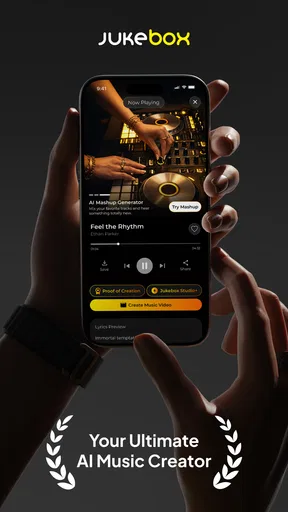
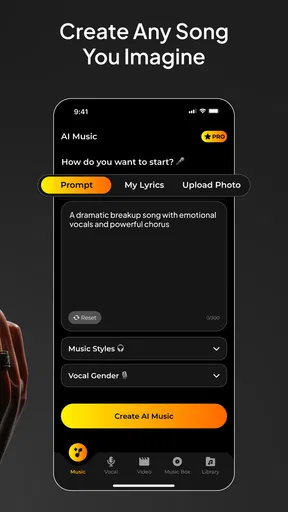
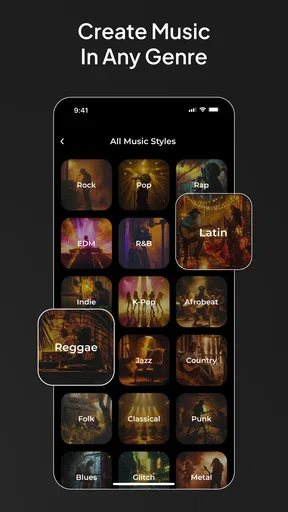
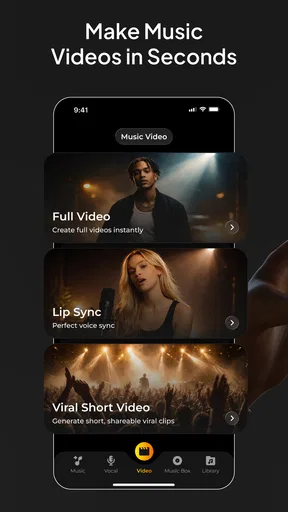
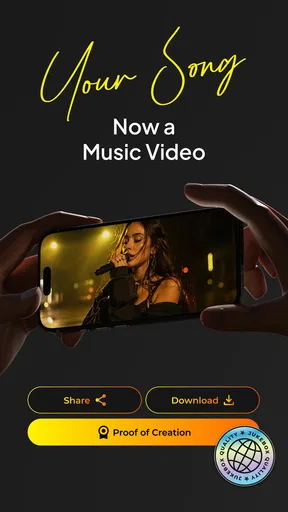
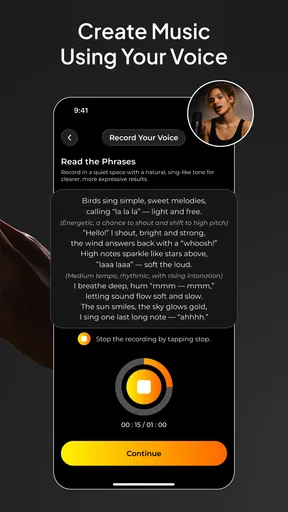
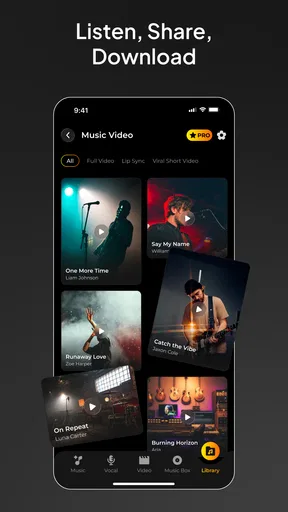
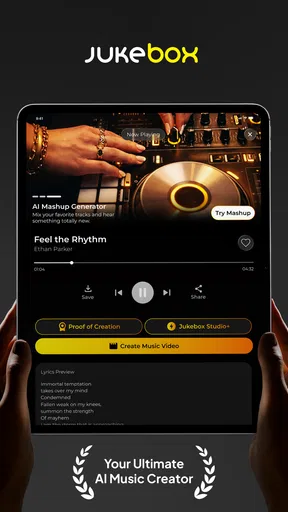
 Analysis by AppCompare
I like music apps best when they make it easy to get from a passing idea to something I can actually listen to. AI Song Generator - Jukebox is aimed at that quick, playful kind of creation: I can describe the sound I have in mind and explore what an AI-generated song might become. It is a music and audio app from TWOWISE Bilgi Teknolojileri Limited Sirketi, and it makes the most sense to me as a creative sketchpad rather than a replacement for learning an instrument or producing a finished track by hand.
A shared listening moment, with room to experiment
The most appealing household use is simple: someone has an idea for a birthday tune, a silly theme song, or music for a short family video, and everyone takes turns suggesting what it should sound like. The fun is in comparing how different prompts lead to different moods. One person might ask for something gentle, another for a livelier style, and the group can decide which direction feels right. That turns music creation into a low-pressure activity, even for people who do not play instruments.
I would keep expectations practical. A generated song can be an entertaining starting point or a personal novelty, but I would listen carefully before using it in a presentation or sharing it as a polished piece of work. AI-generated music is most useful here as a way to explore an idea quickly, not as a guarantee that the first result will match a very specific musical vision.
Making Jukebox Work for Your Household
Before passing a shared device around, I’d agree on what the group is trying to make and who will keep track of the chosen version. That small bit of planning helps turn a string of unrelated experiments into a project everyone can enjoy, while making the next question—how to handle each person’s ideas and saved work—easier to answer.
Set expectations before passing the phone around
On a shared device, a little coordination makes the experience smoother. Agree on who is trying prompts, who is choosing the direction, and whether the session is just for fun or meant to produce something for a particular occasion. That prevents a string of unrelated experiments from taking over when someone is hoping to make one focused track. It also gives younger family members a chance to contribute ideas without making the app responsible for managing turns or household rules.
Because a shared phone or tablet can blur the line between one person’s creative session and another’s, I would treat saved work and any account access as personal unless everyone has agreed otherwise. Before handing the device to someone else, take a moment to check which screen is open and whether the next person is about to continue the same project or start their own. That small habit is more reliable than assuming a shared app automatically separates each person’s activity.
For a household project, it helps to settle on a brief before opening the generator. Pick the occasion, the feeling, and one or two musical clues, then let each person suggest a variation. This keeps the experiment focused and makes it easier to compare results fairly. If the goal is a funny song for a family gathering, for instance, deciding on a playful mood first is more useful than changing every aspect at once.
Worth Reading Before You Choose

EA SPORTS FC Mobile 26 Is a Bigger Football Game, but It Takes Time

Flipboard Shows What News Apps Must Do Beyond the Feed

Switching to Android Auto Means Rethinking Your Driving Routine

Google Calendar Makes a Crowded Week Easier to Manage

Ludo King Makes the Most of the Minutes Between Plans

Baby Panda World Brings Quick Play to Modern Phones, but Its Game Library Feels Busy
Prompts, revisions, and useful trade-offs
The quality of a prompt matters because vague ideas leave more room for the result to surprise you. I would describe the intended scene or feeling in plain language, then change only one part of the request when trying another version. If I alter the mood, genre, and instrumentation together, I cannot tell which choice made the next result work better. This one-variable approach is a practical way to learn what kinds of direction produce the sound I want.
There is also a trade-off between broad exploration and control. Choosing a general feel is a good way to discover combinations I would not have thought of, while a highly specific target can be frustrating if the generated track takes a different path. I would use the app to find a promising musical direction, then decide whether that rough result is enough for the moment. Anyone who needs precise arrangement, detailed editing, or a carefully controlled final mix is better served by a traditional music-production tool.
Lyrics can be another useful starting point, especially when a group has a theme but no one knows how to begin writing. I would treat generated words as a draft to react to rather than something that must be kept unchanged. A family can replace an awkward line with an in-joke or simplify wording for a younger listener before using it as part of a casual project. That makes the generator a prompt for human creativity instead of the only creative voice in the room.
Who will enjoy it, and who may prefer another tool
I can see this being a good fit for curious beginners, people who enjoy trying different musical moods, and anyone who wants a quick way to turn a loose idea into a listenable experiment. It is particularly handy when the goal is entertainment: making a playful track for friends, testing a theme for a personal project, or simply seeing how a musical prompt can be interpreted. You do not need to arrive with formal music training to take part.
On the other hand, I would skip it as a primary tool if I were trying to master songwriting, record a band, or refine a composition note by note. A digital audio workstation or a conventional instrument app gives a musician more direct control over performance and editing. A curated streaming service is the more straightforward choice when I only want to hear finished music, while Jukebox is for people who want to make and compare new material.
It also helps to decide whether the novelty will hold your attention. Generating variations can be enjoyable, but the activity is less satisfying if you expect every attempt to sound exactly as imagined. I would approach it with a willingness to be surprised and a clear idea of when to stop experimenting. For someone who values repeatable, precise results above discovery, a more hands-on production workflow is likely a better match.
Age, trust, and practical boundaries
The app is rated for Everyone, which makes it broadly suitable from a content-rating perspective, but that is not the same as a promise that every generated result will suit every child or family. I would still listen along when younger users are exploring it and talk about what they are creating. Shared creative time gives adults a chance to guide prompts and help children think critically about the words and sounds they choose.
For younger users, I would also keep the activity centered on making music together rather than handing over a device without context. Set a simple theme, agree on a reasonable session length, and decide whether the finished result is staying on the device or being shared. Those are ordinary family choices, not controls I would assume the app handles on a parent’s behalf.
On cost, the app is free to download, with in-app purchases listed from $4.99 to $102.99 per item. I would check the purchase screen carefully before confirming anything, especially on a device used by several people. If the app is being tried casually, it is sensible to explore the free experience first and make sure the family understands what a purchase would cover before spending money.
Getting started and choosing a first project
The app’s release date is October 16, 2024, and its current version is 2.0.4. It requires Android 7.0 or later. It has a 4.7 average from around 49,000 ratings, and it has been installed over a million times. Those figures suggest that plenty of people have tried it, but they do not tell me whether a particular generated track will suit my taste; the best test is still to try a prompt that matters to me.
For a first session, I would choose a small, clear project rather than trying to create an album. A short theme for a weekend activity or a playful tune for a friend gives the app a concrete purpose. Start with one mood and a simple description, listen to what comes back, and then adjust one detail if the result feels off. This makes the process less random and helps you understand whether the app’s style fits the way you like to create.
If I were making something for a video or event, I would audition the result in the setting where it will be heard. A track that sounds fun through a phone speaker might feel different in a quiet room or under spoken dialogue. Listening in context is a useful final check before sharing it, and it can reveal whether the music needs a lighter mood or a less distracting role.
My experience with the app
First off, the installation process was smooth as butter. Whether you're on Android or iOS, downloading and setting up the app is a breeze. Once you’re in, the interface greets you with a sleek, intuitive design that makes navigation feel almost second nature. Seriously, even if you’re not tech-savvy, you’ll find your way around without a hitch.
The main allure of this app is its ability to let you generate music through AI. Just imagine telling a machine to whip up a song for you and having it done in minutes! It’s kind of like having your own personal band that just gets you. You can choose from a variety of genres, moods, and instruments, allowing you to experiment with endless musical combinations.
Features That Hit the Right Notes
Here’s where things get really interesting. AI Song Generator - Jukebox comes packed with features that cater to both amateur music enthusiasts and seasoned musicians alike:
- Genre Variety: From pop and rock to jazz and classical, you name it, this app probably has it. The diversity in genres is impressive and allows you to explore new musical territories.
- Mood Customization: Feeling blue or on top of the world? You can tailor your song’s mood to match your current vibe. It’s like having a soundtrack to your life.
- Instrument Options: Want a saxophone solo or maybe some sweet guitar riffs? The app lets you pick and choose instruments like a pro.
- Lyrics Generator: Not just melodies, this app can also help you pen down some catchy lyrics. Whether it’s a love ballad or a party anthem, the AI has got your back.
One of my favorite aspects is the collaboration feature. You can connect with other users, share your creations, and even collaborate on new projects. It’s a fantastic way to meet other music lovers and create something truly unique together.
My Experience with the App
Now, let’s talk about the actual experience. I spent a good chunk of my afternoon just playing around with different genres and moods. I started with a chill lo-fi track, and before I knew it, I was jamming out to a funky disco beat. The transitions are seamless, and the quality of the generated music is surprisingly good. It might not be Grammy-winning, but hey, it’s definitely playlist-worthy!
The app also allows you to save your creations and even download them for offline listening. So, if you stumble upon a gem, you can keep it forever. Plus, sharing is a breeze. Just a few taps and you can brag about your latest masterpiece on social media or send it to friends.
Bringing a shared project to a close
For a group session, I would finish by choosing one version everyone likes rather than endlessly producing alternatives. Give the track a clear name if the app allows it, and make sure the person who wants to keep it knows where it has been saved. If the household wants to share it, listen once more together before sending it on; that is an easy way to catch a lyric or mood that does not fit the intended audience.
For me, the deciding question is whether I want to create or simply listen. When I want a quick, collaborative musical experiment, Jukebox has a more inviting starting point than a complex production suite. When I want a finished song from artists I already enjoy, streaming is easier. And when I need precise control over every part, a dedicated editing setup wins. The app is at its best when I let it suggest possibilities without expecting it to replace those other tools.
Wrapping It Up
All in all, AI Song Generator - Jukebox is a fun, innovative app that brings the joy of music creation to your fingertips. Whether you’re a budding musician or someone who just loves messing around with tunes, this app has something for everyone. It’s like having a musical playground where creativity knows no bounds.
If you’re curious to see what kind of musical magic you can create, I definitely recommend giving it a go. You never know, you might just discover your hidden musical genius!
Pros
- Easy-to-use interface for beginners.
- Wide range of music genres available.
- High-quality audio output.
- Fast song generation process.
- Customizable song length options.
Cons
- Limited editing features.
- Requires internet connection.
- Occasional genre mismatch.
- Subscription required for full features.
- No offline mode available.
FAQs for AI Song Generator - Jukebox
What platforms is AI Song Generator - Jukebox available on?
AI Song Generator - Jukebox is available for both Android and iOS platforms. You can download it from the Google Play Store for Android devices and the Apple App Store for iOS devices. Ensure your device meets the minimum system requirements for optimal performance.
How does AI Song Generator - Jukebox create music?
AI Song Generator - Jukebox uses advanced machine learning algorithms to generate music. It analyzes various musical elements and styles, allowing users to select specific genres or moods. The AI then composes unique tracks based on these preferences, offering a personalized music creation experience.
Is AI Song Generator - Jukebox free to use?
AI Song Generator - Jukebox offers both free and premium versions. The free version includes basic features, while the premium version unlocks additional functionalities, such as more music styles, higher quality audio, and advanced customization options. Users can choose based on their needs and budget.
Can I export the music I create with AI Song Generator - Jukebox?
Yes, you can export your creations in various formats, such as MP3 or WAV, allowing for easy sharing or use in other projects. The app provides seamless export options to ensure your compositions can be accessed and utilized outside the app environment.
Does AI Song Generator - Jukebox require an internet connection?
While some features of AI Song Generator - Jukebox can be accessed offline, an internet connection is recommended to fully utilize all functionalities. This includes accessing the latest updates, downloading additional music styles, and syncing your creations across devices.


